
Appearance
Global Settings
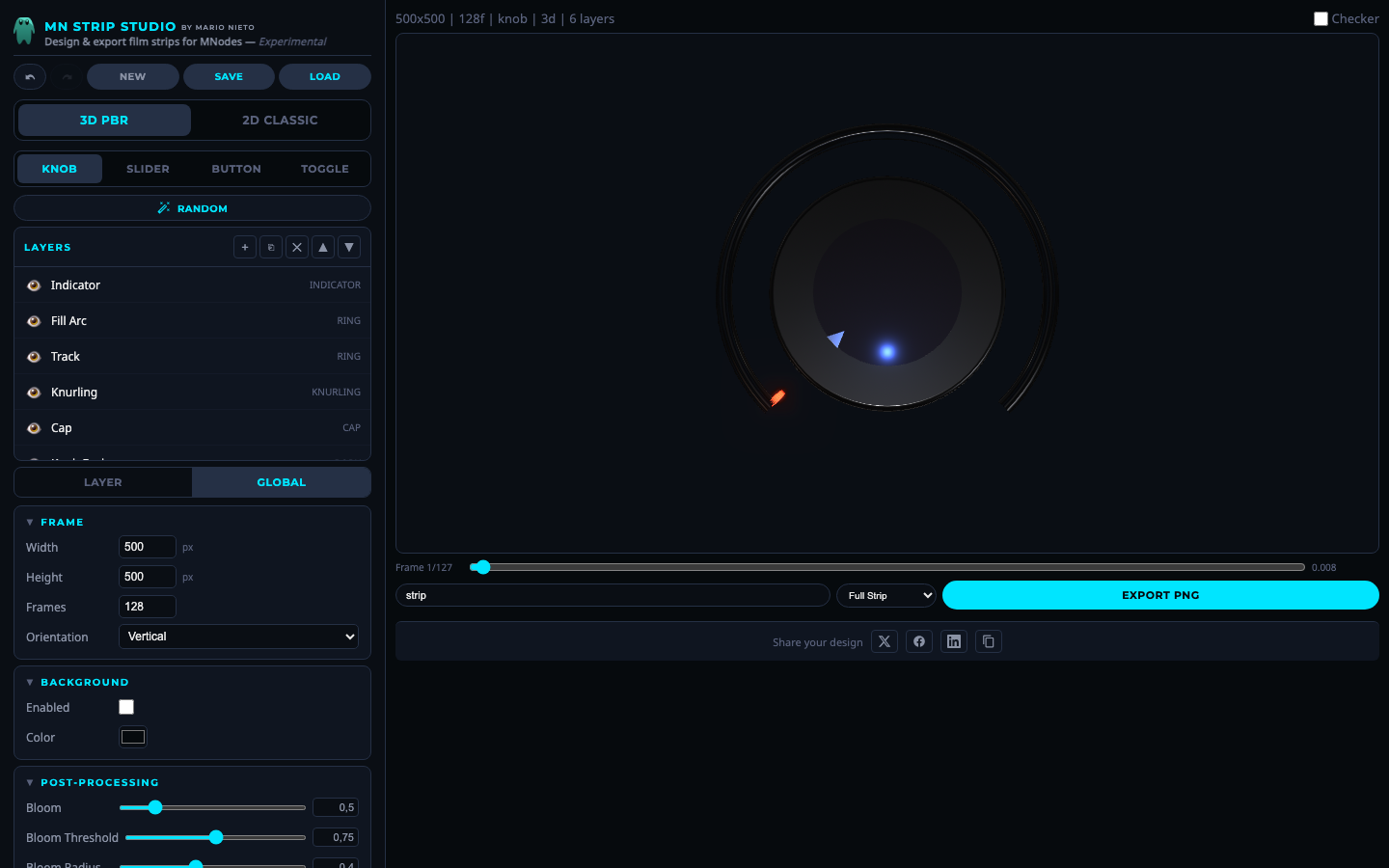 Global settings panel.
Switch to the Global tab in the properties panel. These settings affect the entire design.
Frame
| Property | Range | Default | Description |
|---|---|---|---|
| Width | 16 to 1024 | 500 | Frame width in pixels |
| Height | 16 to 1024 | 500 | Frame height in pixels |
| Frames | 2 to 256 | 128 | Number of animation frames |
| Orientation | vertical / horizontal | vertical | How frames are arranged in the exported PNG |
Background
| Property | Description |
|---|---|
| Enabled | Show a solid background color, or leave off for transparency |
| Color | Background fill color (default #060a0d) |
Post-Processing (3D mode)
| Property | Range | Default | Description |
|---|---|---|---|
| Bloom | 0 to 3 | 0.5 | Glow intensity on bright/emissive elements |
| Bloom Threshold | 0 to 1.5 | 0.75 | How bright something needs to be to glow |
| Bloom Radius | 0 to 1 | 0.4 | How far the glow spreads |
| Margin | 0 to 0.5 | 0.08 | Padding around the object |
| Edge Fade | 0 to 1 | 0.08 | Soft vignette fading at the edges |
| Fade Shape | circle / square | circle | Shape of the edge fade |
Lighting & Camera (3D mode)
| Property | Range | Default | Description |
|---|---|---|---|
| Light X | -2 to 2 | 0 | Main light horizontal position |
| Light Y | -2 to 2 | 0 | Main light depth position |
| Light Height | 0.5 to 4 | 2.5 | Main light vertical position |
| Main Light | On/Off + 0 to 4 + color | On, 2.2, white | Primary directional light |
| Fill Light | On/Off + 0 to 2 + color | On, 0.6, blue-ish | Secondary fill light |
| Ambient | On/Off + 0 to 2 + color | On, 0.15, white | Base ambient light |
| Camera Tilt | 0 to 0.5 | 0.08 | Slight top-down angle |
| Perspective | 0 to 1 | 0.15 | Perspective distortion |
| Env Map | On/Off + 5 environments | On, Studio Small 09 | HDRI reflections |
| Env Intensity | 0 to 3 | 1 | Reflection strength |
Available environments: Studio Small 09, Studio Small 03, Aerodynamics Workshop, Peppermint Powerplant, Autumn Field Puresky.
2D Style
| Property | Range | Default | Description |
|---|---|---|---|
| Margin | 0 to 0.3 | 0.08 | Padding in 2D mode |
| Glow Size | 0 to 40 | 12 | Outer glow size |
| Glow Intensity | 0 to 1 | 0.4 | Glow brightness |
| Edge Fade | 0 to 1 | 0 | Vignette effect |
| Fade Shape | circle / square | circle | Shape of the fade |